How To use the Platform and make a booking
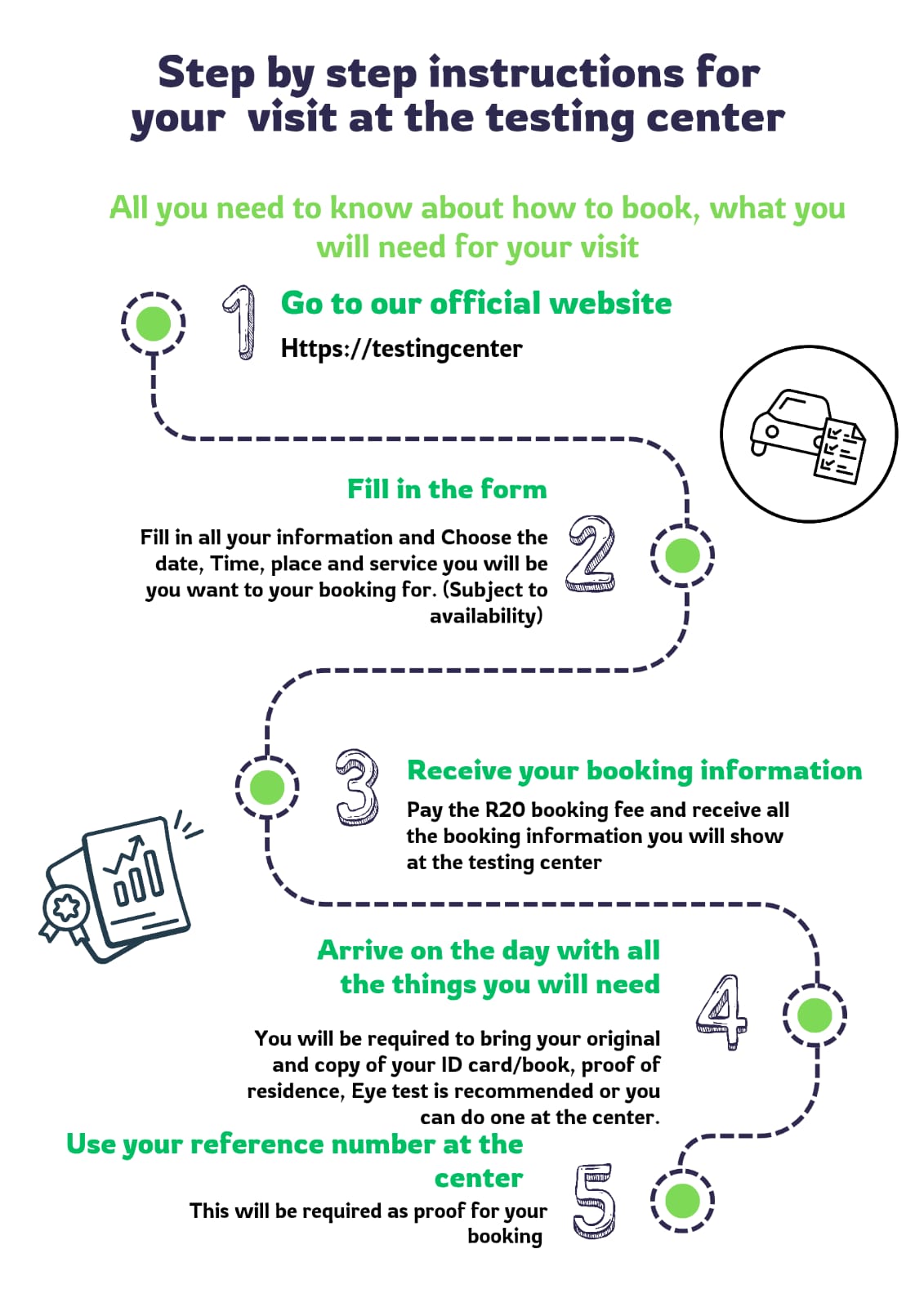
Below are step by step instructions on how to make a booking for your testing center visit. You can also watch the video or download the pdf that shows what you should see for each step.
Step 1: Visit the Booking Website
Open your internet browser on your phone or computer.
Go to the official booking website.
Click on “Book a Time Slot Now.”
Step 2: Choose Your Testing Centre
Select your Driving Licence Testing Centre from the list.
Make sure you choose the correct centre before continuing.
Step 3: Select Your Service
Choose the service you are visiting for:
Learner’s Licence
Driving Licence Test
Licence Renewal
Other available services
Confirm your selection.
Step 4: Choose Date and Time
View available dates on the calendar.
Select a date that suits you.
Choose one of the available time slots.
Only available times will be shown.
Step 5: Enter Your Details
Fill in your information accurately:
Full Name
Mobile Number
Email Address (if available)
Make sure your details are correct. Incorrect details may prevent entry.
Step 6: Pay the Booking Fee (R20)
Review your booking details.
Proceed to secure online payment.
Pay the R20 booking fee using available payment methods.
Wait for payment confirmation.
Note: The booking fee confirms your time slot and helps prevent no-shows.
Step 7: Receive Confirmation
Once payment is successful:
You will receive a booking confirmation message
A unique booking reference number
A QR code (sent via email or SMS)
Keep this information safe.
Step 8: Arrive at the Testing Centre
Arrive 15–20 minutes before your booked time
Have your QR code or booking reference ready
Bring all required official documents
Step 9: Security Check-In
Present your QR code or reference at the entrance
Security staff will scan or verify your booking
You will be allowed entry for your scheduled time
Only confirmed bookings will be allowed inside.
Important Reminders
If you miss your time slot, you may need to rebook.
The R20 booking fee does not replace official testing fees.